Webinar Overview
Webinar Title
Embion : Embedded Systems & Sensor Programming Bootcamp
Date
06 Sep 2026
Time
07:30 PM IST
Duration
120 minutes
Mode
Online — Live Session
Speaker
Omar Faruk Molla - Embedded Systems Engineer & IoT Enthusiast
Fee
₹9 (One-Time)
Certificate
Yes — after attendance confirmed (designation & institution optional)
Seats Left
0 of 67
About this webinar
About This Webinar
Embedded systems power almost every smart device around us — from home appliances and wearables to industrial machines and automobiles. This webinar gives you a practical introduction to embedded systems, covering how devices are programmed, how they communicate, and how sensors are used to build real-world applications.
This session is designed for students and beginners, whether from an engineering background or not, who want to understand embedded systems in a simple, practical way.
Why Join
- Practical, beginner-friendly introduction to embedded systems
- Real hardware concepts using Arduino, Raspberry Pi Pico, and ESP32
- Covers industry-relevant communication protocols and debugging practices
- Includes a keyword-verifiable certificate upon successful completion
- Suitable for both technical and non-technical backgrounds
Who Should Join
| Audience | Suitable |
|---|---|
| Engineering students | Yes |
| Non-engineering / general students | Yes |
| Electronics hobbyists | Yes |
| Working professionals exploring embedded/IoT | Yes |
| Complete beginners | Yes |
Prerequisites
- No prior embedded systems experience required
- Basic familiarity with any programming language is helpful but not mandatory
What You Will Take Away
- A clear understanding of how embedded systems work
- Familiarity with microcontrollers like Arduino, Pico, and ESP32
- Basic knowledge of how devices communicate using common protocols
- An introduction to sensors, actuators, and real-time operating systems
- Exposure to how embedded engineers debug hardware issues
- A verifiable certificate to showcase your participation and learning
Your instructor
O
Omar Faruk Molla - Embedded Systems Engineer & IoT Enthusiast
Session host
Session agenda
Session Overview
| # | Topic | Key Focus Area |
|---|---|---|
| 1 | Welcome & Introduction to Embedded Systems | Foundation & Career Scope |
| 2 | Embedded C/C++ Programming Basics | Programming Fundamentals |
| 3 | Microcontroller Fundamentals (Arduino, Pico, ESP32) | Hardware Basics |
| 4 | Communication Protocols Overview | Device Communication |
| 5 | Sensors & Actuators — Practical Overview | Real-World Interfacing |
| 6 | Introduction to RTOS | Multitasking Concepts |
| 7 | Debugging Techniques Used by Embedded Engineers | Problem Solving |
| 8 | Live Q&A and Wrap-up | Open Discussion |
1. Welcome and Introduction to Embedded Systems
- What embedded systems are and where they are used in everyday life
- Overview of career and project opportunities in this field
- What you will learn by the end of the session
2. Embedded C/C++ Programming Basics
- How embedded programming differs from regular software programming
- Working with limited memory and hardware resources
- Basic structure of an embedded program
- Understanding registers and hardware-level control at a beginner level
3. Microcontroller Fundamentals (Arduino, Pico, ESP32)
| Board | Known For |
|---|---|
| Arduino Uno | Beginner-friendly, widely used for learning |
| Raspberry Pi Pico | Low-cost, dual-core, great for advanced experiments |
| ESP32 | Built-in WiFi/Bluetooth, popular for IoT projects |
- Understanding GPIO (General Purpose Input Output) pins
- Basics of timers and interrupts
- How to safely power and handle microcontroller boards
4. Communication Protocols Overview
| Protocol | Type | Common Use Case |
|---|---|---|
| UART | Serial | Simple point-to-point communication |
| I2C | Serial (multi-device) | Connecting multiple sensors on one bus |
| SPI | Serial (high-speed) | Fast data transfer between devices |
| CAN | Serial (robust) | Automotive & industrial systems |
| RS232 | Serial (legacy) | Older industrial equipment |
| One-Wire | Serial (minimal) | Simple sensors like temperature probes |
5. Sensors and Actuators — Practical Overview
| Type | Examples | Purpose |
|---|---|---|
| Sensors | Temperature, motion, distance, light | Collecting real-world data |
| Actuators | Motors, relays, buzzers | Producing real-world action/output |
- How sensor data is read and used to control actuators
- Real-world examples of sensor-actuator based projects
6. Introduction to RTOS
- What a Real-Time Operating System is and why it is used
- Difference between a simple loop-based program and an RTOS-based program
7. Debugging Techniques Used by Embedded Engineers
- Common types of bugs in embedded systems
- Using serial monitors for basic debugging
- Structured approach to identifying and fixing issues
8. Live Q&A and Wrap-up
- Open floor for questions
- Guidance on next steps for learning embedded systems further
- Information about certificate and further bootcamp opportunities
Certificate You Will Receive
Verify existing
Sample
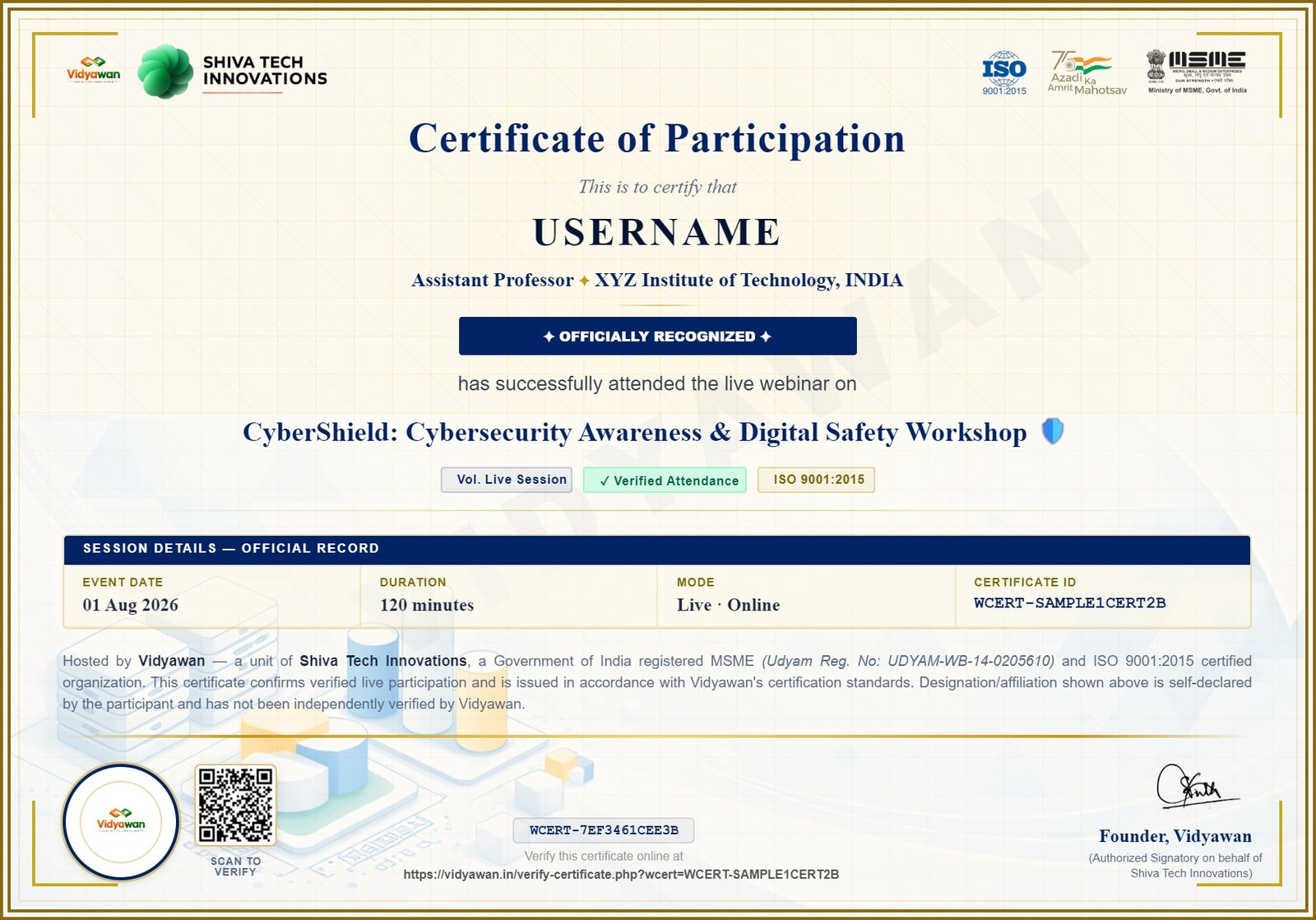
On successful attendance, you'll receive a digital certificate from Vidyawan — verifiable online with a unique Certificate ID, and optionally featuring your designation & institution.
- Complete your payment & registration
- Join the WhatsApp group for the live session link
- Mark your attendance during the session
- Add your designation & institution (optional, self-declared)
- Download your certificate from the certificate page
Every certificate can be verified anytime at verify-certificate.php using its unique ID.
Why register with Vidyawan?
MSME Registered — UDYAM-WB-14-0205610, Govt. of India
ISO 9001:2015 Certified — quality-controlled delivery
Verifiable Certificates — ID-based online verification
No login required — register and pay in seconds
Secure Payment — powered by Razorpay gateway
₹9
One-time payment, certificate included
Certificate on completion
Secure payment
MSME & ISO 9001:2015 certified
Webinar Stats
67
Registered
0
Seats Left
120
Minutes


